Braindump

system

#brainiac #emacs #productivity #system

Dear All,

It's time to release a new version of Brainiac.

These are the highlights of the release:

  • ollama-pal, which is based on the mini version of ollama-buddy, implements everything I deem necessary for “chatting with your documents”. You can find detaills on the implementation here, but the major additions are:

    • Multilingual RAG pipeline (including OCR garbage detection) backed by a reasoning model of your choice. This performs very well even with small reasoning models that can run on CPU only.
    • Deep Research Mode that expands queries and context before reasoning, increasing the relevant context that the model gets. But this takes longer time to process, although I still find it acceptable with the default qwen models.
    • Deep Search through all your notes, documents, and images. This works wonders, when you have a lot of screenshots and other types of documents, that are not pure text. As the information is extracted and then stored as chunks in the chromadb, we can do a sort of semantic search, when the classical keyword search produces no results.
    • Other additions are multi-session support, switch system prompts etc.
  • I also added br-abbrev-picker for AI prompts, templates, etc., integrated with abbrev-mode. This makes it very easy to pick reusable prompts you defined by yourself.

Most of the improvements have been implemented using AI coding agents. It was fun playing with them, experimenting with this new way of working and basically implementing things, which I would never do due to my low-level coding skills.

Get the release here.

Keep on hacking!
#brainiac #emacs #productivity #system

Every knowledge worker, and especially every leader, needs some sort of a productivity system. This system can be digital, analog, commercial, self-built, text based, image driven etc. What you choose depends on what works best for you and what your mind finds amusing 🙂. Whatever you choose, it is crucial that you are able to offload your tasks, obligations, notes, etc., very fast into this system and not be worried that the information will be lost. Also this system has to be able to give you an overview of your most important tasks at a glance and surface information when you need it, fast and reliable.

Brainiac started as a way for me to organize my own work: meeting notes with my team, technical reflections, tasks, and the many small but important thoughts that accumulate over the course of real engineering work. Over time, it became a stable personal system that supports both focused technical work and leadership responsibilities, without getting in the way.

In it's core this is a minimal Emacs configuration, built around the great Org-mode, with additional external tools mixed in to build a complete, sustainable, flexible productivity system. As it's built around text files, it can be synced across multiple devices with ease using e.g. Syncthing, Nextcloud, git, etc. It is complimented nicely with mobile apps like Beorg, Orgzly, etc. The system works reliably with bigger collections of tasks and notes. Currently I have around 100 000 lines of text in it, and searching thru it is a breeze.

Brainiac is not meant to be a polished product. It’s a living system, shaped by everyday use — the kind of system you build when you care about clarity, continuity, and reducing friction in knowledge work. If you use it, feel free to reach out with feedback, ideas, or improvements. Shared practice tends to evolve better than isolated solutions.

I host stable versions of Brainiac on Codeberg.

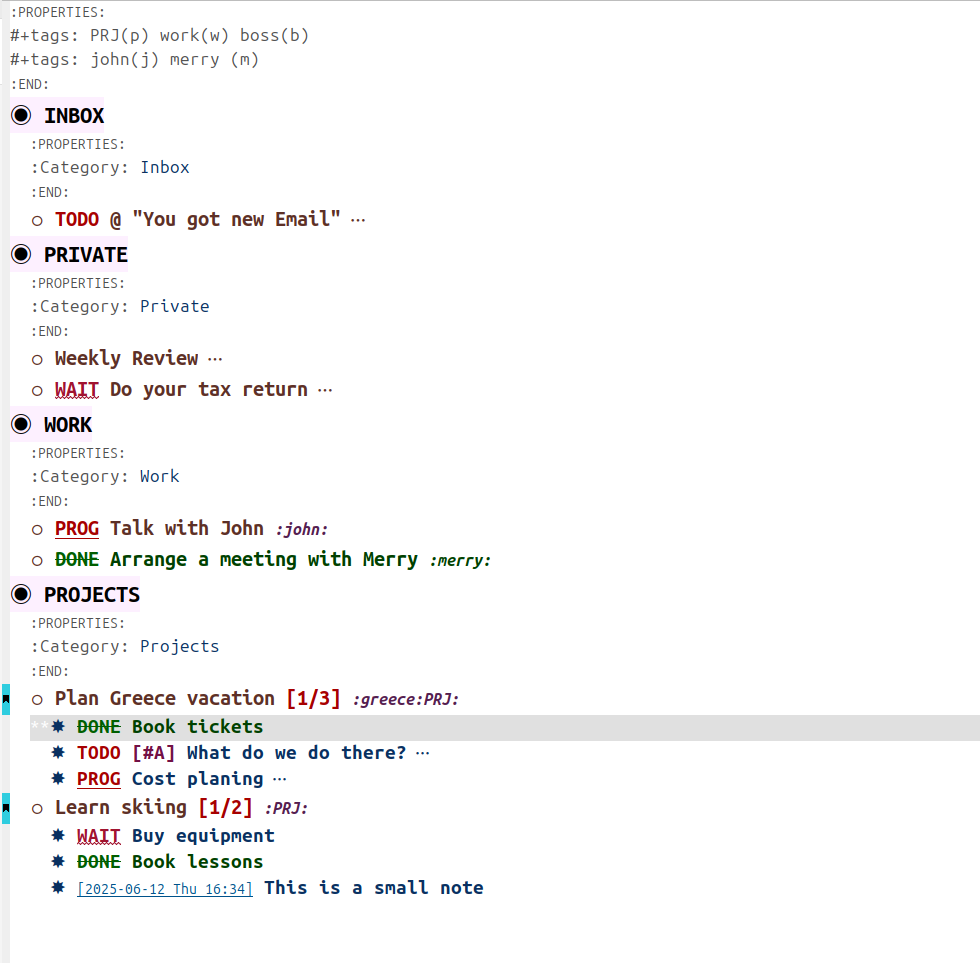
You can find all Brainiac related blog posts here. Below are some screenshots and videos of Brainiac in action.

Main Overview

Process of the Weekly Review.

Capturing information for a new project.